Your TV service, better on every screen
A free, ad-free player for the IPTV service you already pay for, on your TV, phone, tablet and computer. No sign-up. Premium adds the extras.
Android TV, Google TV and Fire TV
Install today with Downloader (code 6154407).
TVGlow on every screen
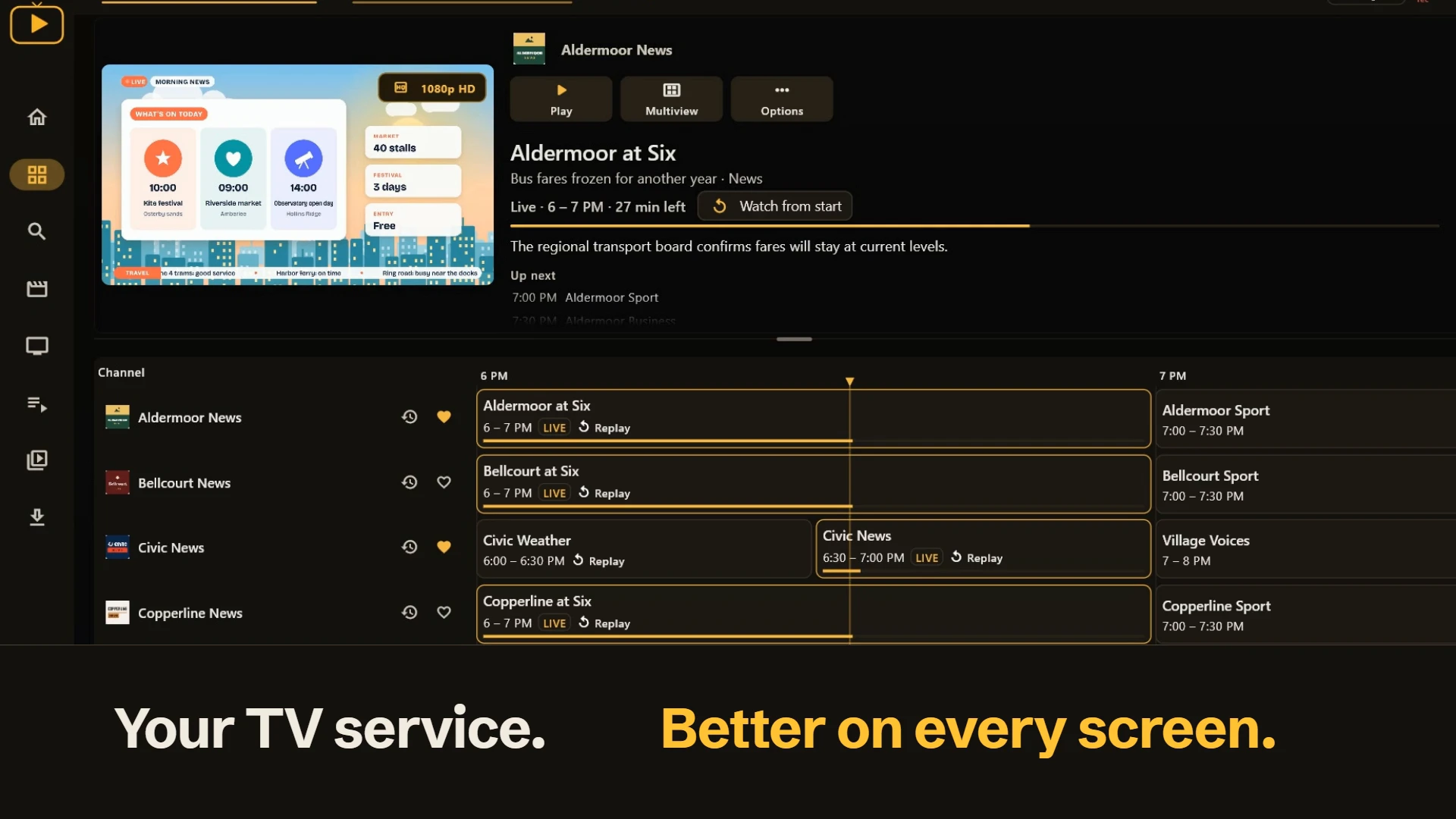
What the film shows (58 seconds, silent):
- Your TV service. Better on every screen.
- Bring your own TV service: playlists (M3U), Xtream, Stalker portals, Plex, Jellyfin, Emby and XMLTV guides.
- Free, on Windows: a Guide that keeps playing.
- Free, on Windows: one search for everything.
- Free: movies and shows, with Up next.
- Free, on Android: sports schedules, and which of your channels a game may be on.
- Free. No ads. No sign-up.
- Want more? Go Premium. Premium
- Premium, on an Android tablet: watch up to four channels at once. Premium
- Premium, on Android TV: pause and rewind live TV. Premium
- Premium: replay, record and download. Premium
- A room of your own, on Meta Quest: a living room and a stadium.
- Premium, on Meta Quest: Multiview, separate screens around you in the Room. Premium
- Plenty for free, more with Premium. Free: Live TV and the Guide, search, movies and shows, trailers, Continue watching, Up next, favorites and your own list, sports schedules, backup channels, 20 languages, one source. Premium: Multiview, Timeshift, Replay, recording, downloads, Channel Customization, more sources and more lists, online subtitles and sync.
- One Premium: up to 6 active devices, in total across platforms. Try Premium for 7 days, no card required. Premium
- TVGlow. Start free, no sign-up, at tvglow.app. For Android phones and tablets, Android TV and Google TV, Windows, iPhone and iPad, LG webOS TV and Meta Quest. Real app footage with sample content; TVGlow includes no channels; features vary by platform.
TVGlow on Android Live
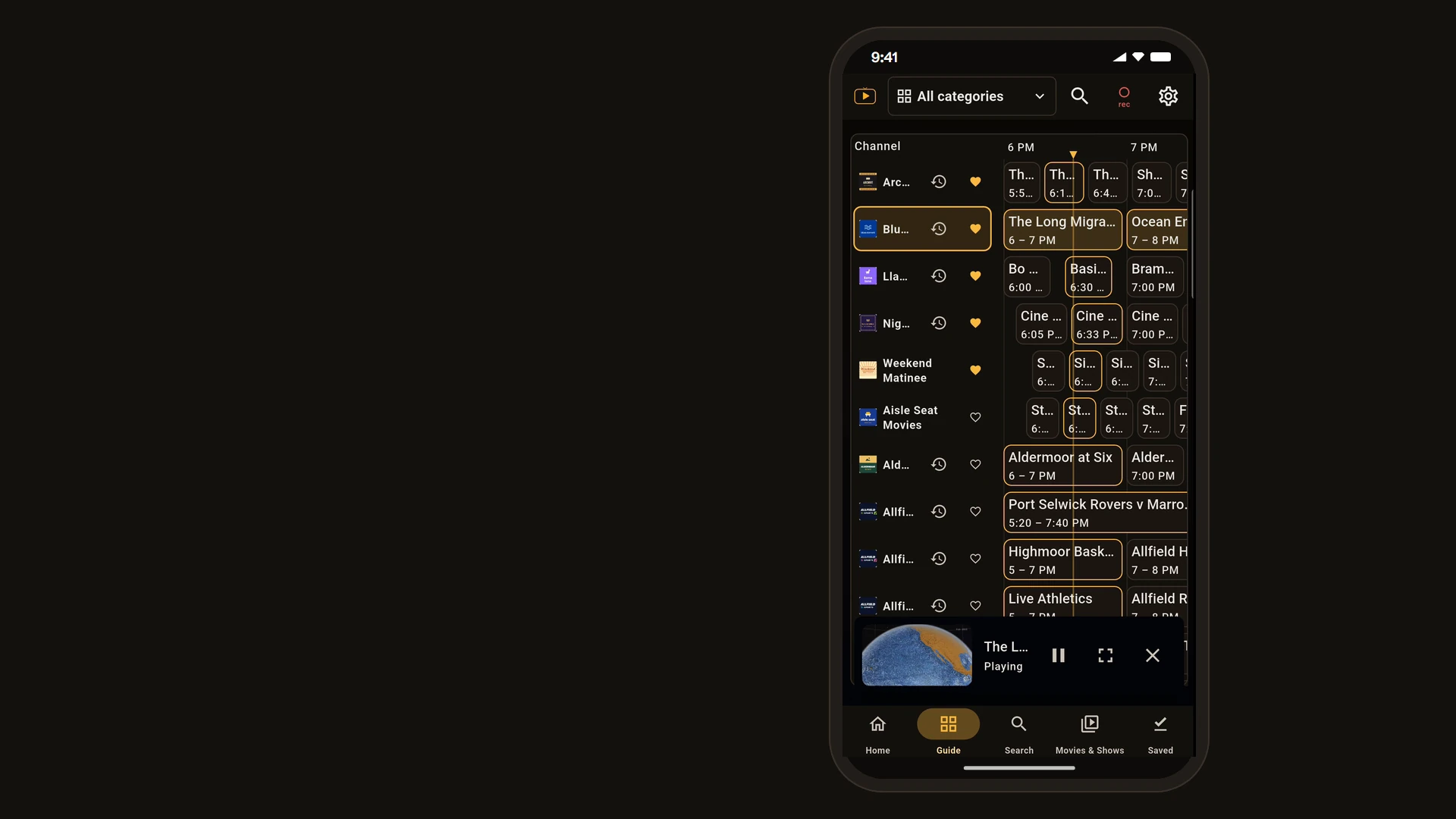
What the film shows (71 seconds, silent):
- Your TV service, better on Android.
- Add your service in minutes.
- Bring your own TV service: playlists (M3U), Xtream, Stalker portals, Plex, Jellyfin, Emby and XMLTV guides.
- See what's on. Tap to watch.
- Search your whole source.
- Game schedules on Home.
- Movies and shows.
- Keep watching while you browse.
- Free. No ads. No sign-up. Live TV, the Guide, Search, Movies & Shows, Continue watching, the mini player and favorites.
- Pause and rewind live TV. Premium
- Replay earlier programmes. Premium
- Rename, reorder and hide channels. Premium
- And on your tablet.
- Multiview: four channels on one screen. Premium
- Record shows, download movies. Premium
- Premium adds Multiview, Timeshift, Replay, Recording, Downloads, Channel Customization and online subtitles. Premium
- One Premium: up to 6 active devices, in total across platforms. Try Premium for 7 days, no card required. Premium
TVGlow on Windows Live
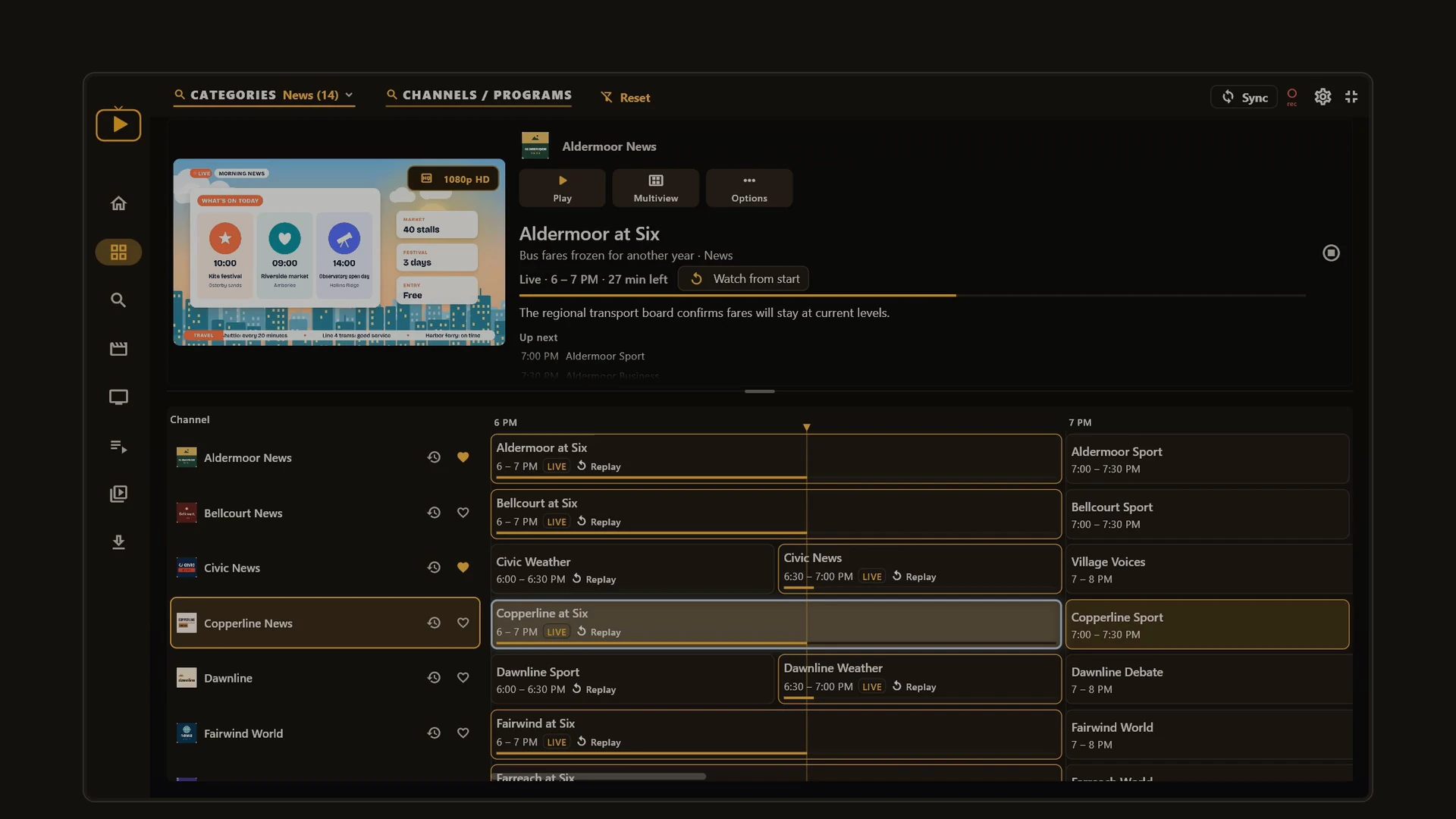
What the film shows (78 seconds, silent):
- Your TV service, better on Windows.
- Bring your own TV service: playlists (M3U), Xtream, Stalker portals, Plex, Jellyfin, Emby and XMLTV guides.
- See what's on while it plays.
- Search channels, programmes and shows.
- Movies and shows, quality at a glance.
- Game schedules on Home.
- Keep watching while you browse.
- Free. No ads. No sign-up. Live TV, the Guide, Search, Movies & Shows, quality badges and the mini player.
- Watch four channels side by side. Premium
- Pause live TV, rewind, then go live. Premium
- Replay earlier shows from the Guide. Premium
- Record the programme you're watching. Premium
- Premium adds Multiview, Timeshift, Replay, Recording, Downloads, Channel Customization and online subtitles. Premium
- One Premium: up to 6 active devices, in total across platforms. Try Premium for 7 days, no card required. Premium
TVGlow on iPhone & iPad Coming soon
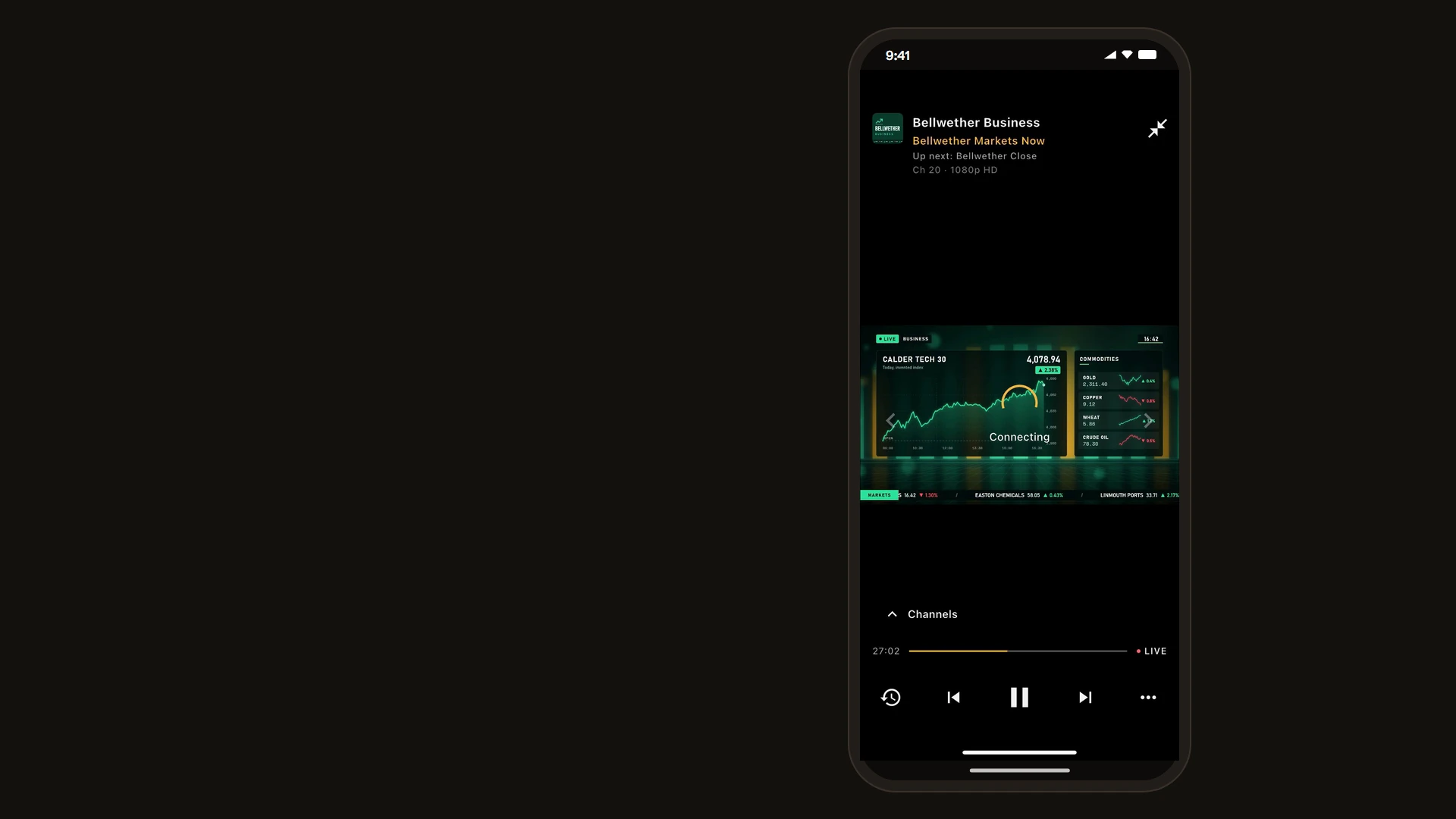
What the film shows (73 seconds, silent):
- Your TV service, better on iPhone.
- Bring your own TV service: playlists (M3U), Xtream, Stalker portals, Plex, Jellyfin, Emby and XMLTV guides.
- See what's on. Tap to watch.
- Game schedules on Home.
- Search channels and programmes.
- Movies and shows from your source.
- Free. No ads. No sign-up. Live TV, the Guide, Search, Movies & Shows, Continue watching and favorites.
- Pause and rewind live TV. Premium
- Replay what already aired. Premium
- Two channels, your layout. Premium
- Record shows to watch later. Premium
- Rename, hide and reorder. Premium
- Download movies for offline. Premium
- Premium adds Multiview, Timeshift, Replay, Recording, Downloads, Channel Customization and online subtitles. Premium
- One Premium: up to 6 active devices, in total across platforms. Try Premium for 7 days, no card required. Premium
TVGlow on Android TV In store review
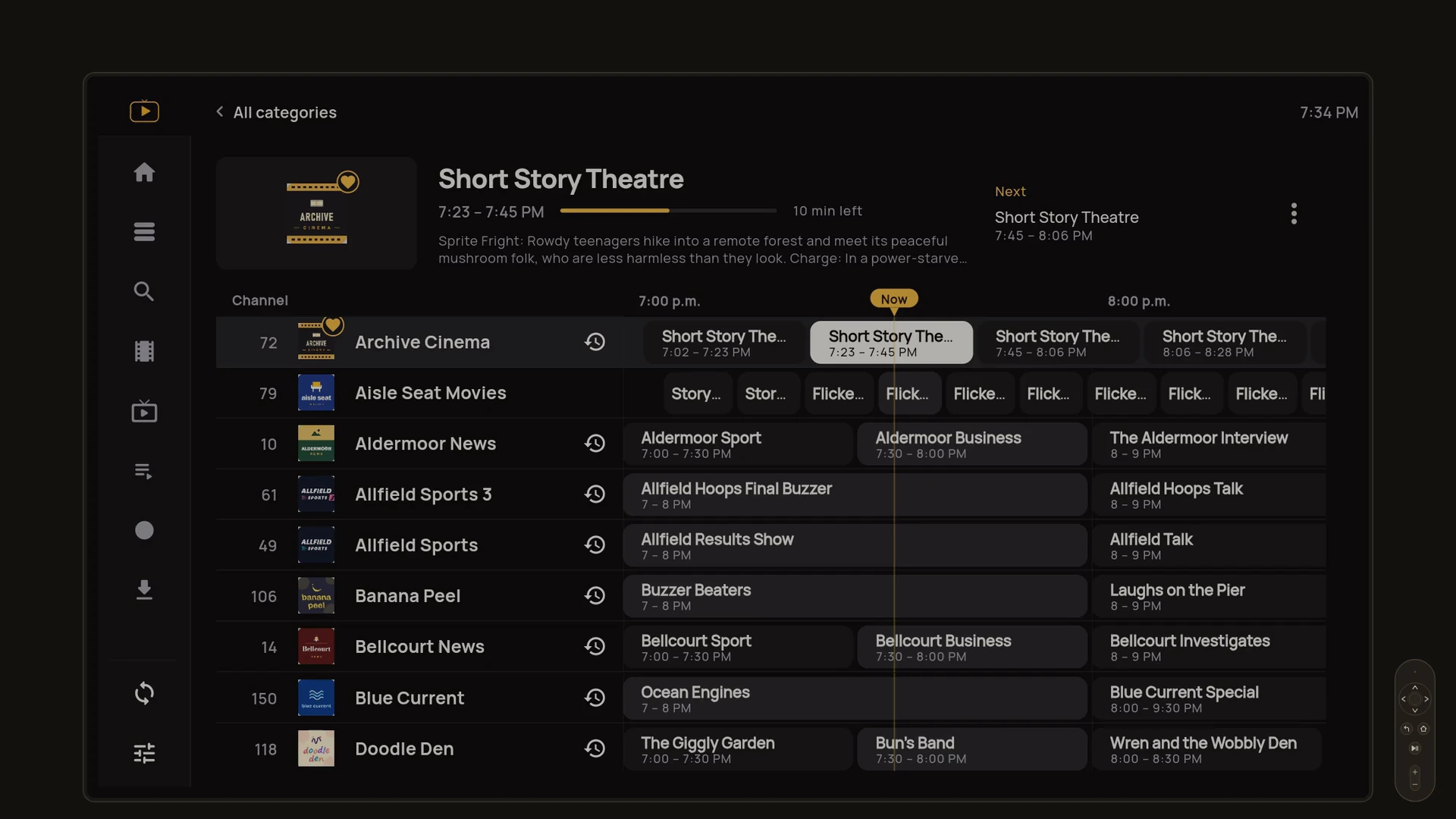
What the film shows (80 seconds, silent):
- Your TV service, better on Android TV.
- Bring your own TV service: playlists (M3U), Xtream, Stalker portals, Plex, Jellyfin, Emby and XMLTV guides.
- Browse the Guide with the remote.
- Game schedules on Home.
- Change channels with the remote.
- Search from the couch.
- Movies and shows, with details.
- Watch the trailer right in the app.
- Free. No ads. No sign-up. Live TV, the Guide, Search, Movies & Shows, trailers, Continue watching and favorites.
- Filter by genre, year and more. Premium
- Pause live TV and rewind. Premium
- Record the show that's on now. Premium
- Download movies to watch later. Premium
- Reorder and group your channels. Premium
- Premium adds Multiview, Timeshift, Replay, Recording, Downloads, Channel Customization and online subtitles. Premium
- One Premium: up to 6 active devices, in total across platforms. Try Premium for 7 days, no card required. Premium
TVGlow on webOS TV Coming soon
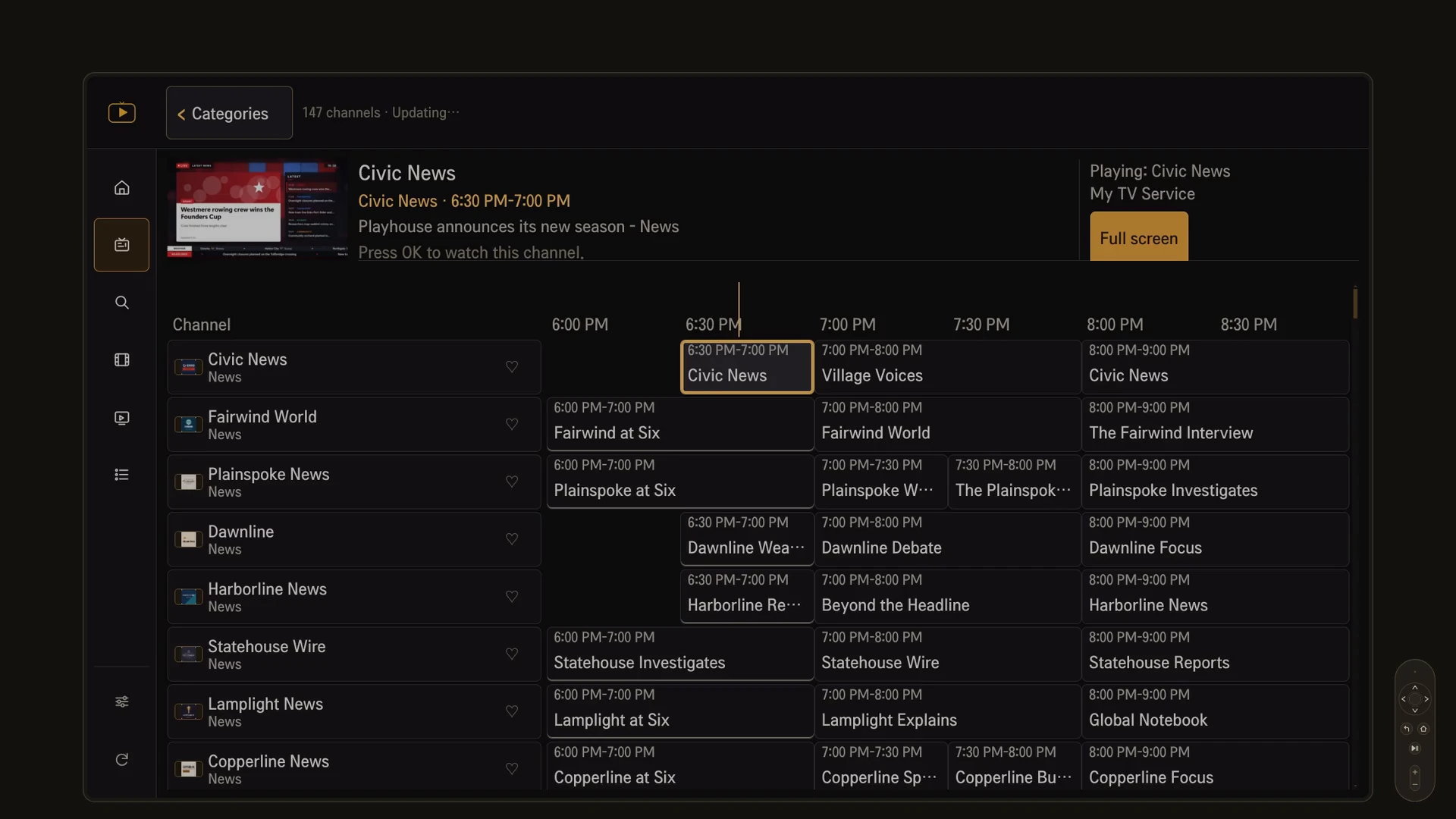
What the film shows (81 seconds, silent):
- Your TV service, better on your LG TV.
- Set up with the remote.
- Bring your own TV service: playlists (M3U), Xtream, Stalker portals, Plex, Jellyfin, Emby and XMLTV guides.
- The Guide keeps playing.
- Flip channels with the remote.
- Jump to any category.
- Your favorites, on Home.
- Search everything at once.
- Movies and shows, with details.
- Make your own lists.
- In 20 languages.
- Free. No ads. No sign-up. Live TV, the Guide, Search, favorites, your own lists, movie and show details and 20 languages.
- Your sources and logins on every device. Premium
- Premium adds playing movies and shows, Continue watching, more than one source, and sync of your sources and logins. Premium
- One Premium: up to 6 active devices, in total across platforms. Try Premium for 7 days, no card required. Premium
TVGlow on Meta Quest Coming soon
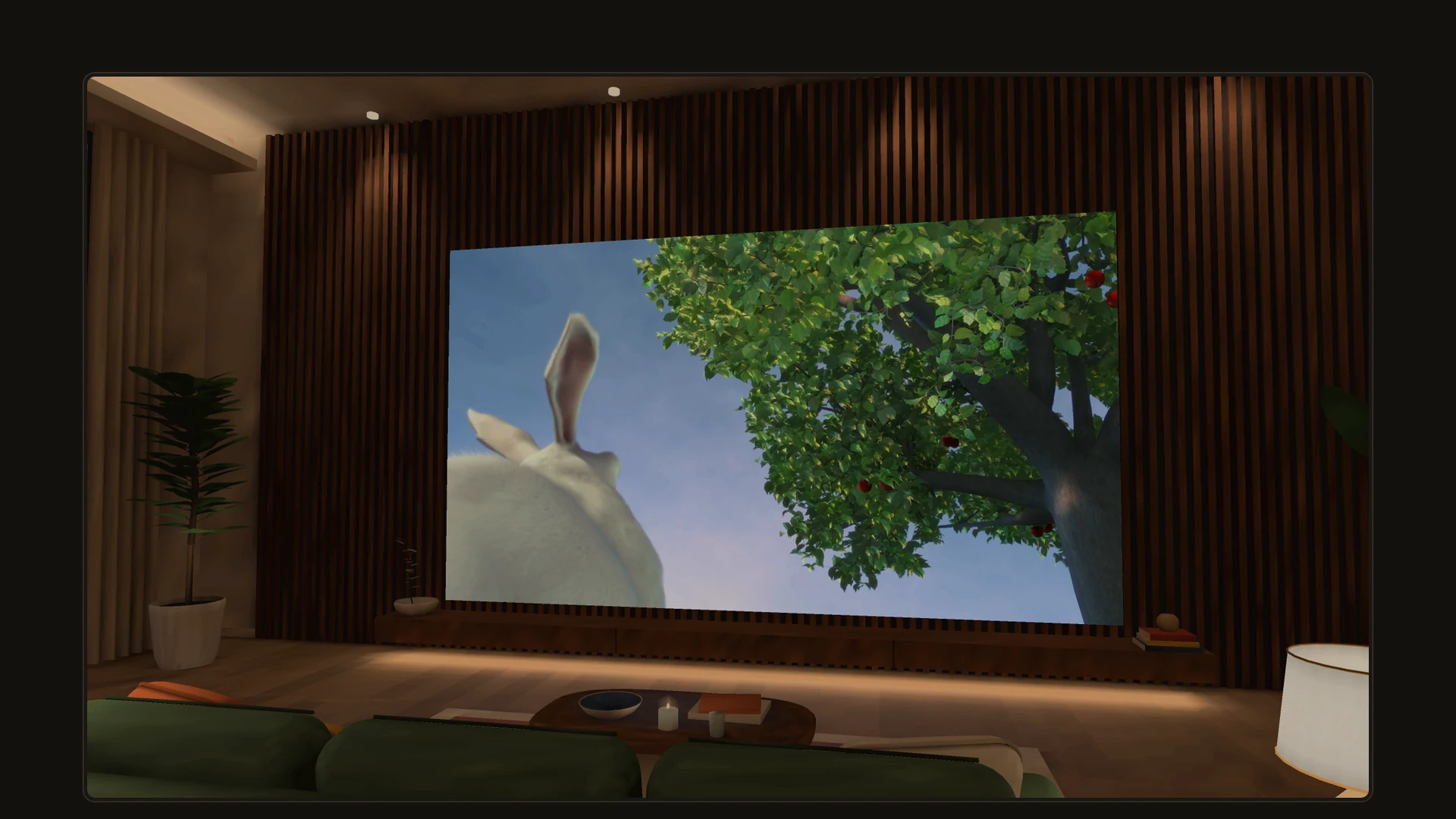
What the film shows (50 seconds, silent):
- Your TV service, in VR on Meta Quest.
- Bring your own TV service: playlists (M3U), Xtream, Stalker portals, Plex, Jellyfin, Emby and XMLTV guides.
- The Room, in VR: a big screen in your living room.
- Pick your room. There are more to choose from.
- Or watch from a box in the Stadium.
- Shoot a few hoops in the box, and fire the confetti cannon.
- The Guide opens right in the Room.
- Free. No ads. No sign-up. The Room in VR, Live TV, the Guide, Search, Movies & Shows, favorites and Continue watching.
- Multiview: up to 4 screens around you in the Room. Premium
- Premium adds Multiview, Timeshift, Replay, Downloads, Channel Customization, online subtitles, more than one source and sync of your sources and logins. Premium
- One Premium: up to 6 active devices, in total across platforms. Try Premium for 7 days, no card required. Premium
An IPTV player for your TV, phone, tablet, and computer
TVGlow supplies no channels. It plays what you already have: an M3U playlist, an Xtream login, a portal login, or your own Plex, Jellyfin or Emby server, with the XMLTV guide that comes with it. In 20 languages.
Free and Premium
Most of TVGlow is free, for as long as you use it: watching, the Guide, Search, your movies and shows, and the tools that make an evening easy. Premium is for the extras.
No ads. No sign-up. Your favorites and history stay on your device.
Free
Free for good: no trial clock, no sign-up.
- Live TV and the Programme GuideYour channel lineup and your XMLTV guide, with Guide search, yesterday to tomorrow, and jump to now.
- SearchChannels, programmes, movies and shows in one search. Type two names with OR between them to match either.
- Movies & Shows (on webOS TV, browsing is free and playing a movie or episode is Premium)Your service's categories with posters, plots, cast and ratings, filled in online where your service is thin, plus trailers, Continue watching, Up next, and mark as watched.
- Backup channels and automatic recoveryA stalled channel reconnects by itself, and when a channel fails, TVGlow plays the same channel from your other source, and says so.
- Popular & trendingTrending, popular and box-office rows from Trakt's public lists, showing only the titles your own service carries.
- Sports schedulesToday's and tomorrow's games on Home for the sports you follow, which of your own channels they may be on, and a search for both teams at once.
- Favorites, lists and Home rowsThe channels, movies and shows you come back to, one list of your own, and Home rows you can show, hide and reorder.
- Playback errors you can act on, and diagnosticsWhen a stream fails, TVGlow says what went wrong and whether it is your connection, your service or the stream, and can save a support report with your logins hidden.
- Player comfortsMini player, Picture in Picture on Android, audio and subtitle tracks, last channel and 30-second skips, and a display size that suits your screen.
Premium
The extras: Multiview, Timeshift, recording, casting, sync.
7-day free trial, no card. One Premium covers up to 6 of your devices.
Everything in Free, plus:
- Channel CustomizationReorder, rename, number and hide channels, build your own categories, fix a wrong Guide match, and choose your backups, source order and duplicates.
- More listsUp to 50 lists of your own instead of one, each a possible row on Home.
- Library filters & sortingFilter movies and shows by genre, year and rating, and sort them your way.
- Sync your sources and loginsAdd a source once and your other devices get it, with its login, and your lists come along, end-to-end encrypted so TVGlow cannot read them.
- Cast to your TVGoogle Cast from Android; AirPlay and Google Cast from iPhone and iPad; Google Cast and DLNA from Windows, with a home-network fallback for TVs that refuse a stream.
- Timeshift and ReplayPause and rewind live TV by up to two hours, and catch up on what already aired where your service keeps an archive.
- Recording / DVRRecord the channel you are watching, or schedule a programme from the Guide, while TVGlow is open.
- DownloadsSave movies and episodes to watch offline.
- MultiviewUp to four channels at once on Android and Windows, two side by side on Android TV.
- Online subtitles and more sourcesSearch SubDL with your own key or OpenSubtitles with your own account, and add a second TV service and more.
- Trakt watched trackingSign in to your own Trakt account and what you watch is tracked there.
One Premium, every screen. One Premium covers up to 6 of your devices — TV, phone, tablet, and computer. Premium unlocks a feature in TVGlow; whether it then works depends on your device and on what your own TV service carries and permits.
Compare every feature, platform by platform
| Feature | AndroidPhones, tablets & moreLive | iPhone & iPad | WindowsPCs & laptopsLive | Android TVand Google TVIn store review | Meta Questin VR or 2D | webOS TVLG & more |
|---|---|---|---|---|---|---|
| FreeFree for good: no trial clock, no sign-up. | ||||||
| Watch | ||||||
| Live TVYour whole channel lineup, ready to watch.All 6 platforms | Free | Free | Free | Free | Free | Free |
| Programme GuideWhat's on now and next, from your XMLTV guide (EPG).All 6 platforms | Free | Free | Free | Free | Free | Free |
| SearchChannels, programmes, movies and shows in one search.All 6 platforms | Free | Free | Free | Free | Free | Free |
| Movies & ShowsYour service's movies and series, with seasons and episodes. | Free | Free | Free | Free | Free | Premium |
| Continue watchingPick up right where you left off. | Free | Free | Free | Free | Free | Premium |
| Up nextThe next episode, ready when this one ends. | Free | Free | Free | Free | Free | Not on this platform |
| Backup channelsA channel fails? Your other source takes over. | Free | Free | Free | Free | Free | Not on this platform |
| Automatic recoveryA stalled channel reconnects by itself. | Free | Free | Free | Free | Free | Not on this platform |
| Find what to watch | ||||||
| Guide search & daysSearch the Guide, filter it, jump to now, and see what's up next. | Free | Free | Free | Free | Free | Not on this platform |
| Sports schedulesToday's and tomorrow's games on Home, and which of your channels they may be on.All 6 platforms | Free | Free | Free | Free | Free | Free |
| Popular & trendingWhat's trending and popular, from your own service.All 6 platforms | Free | Free | Free | Free | Free | Free |
| Movie & show detailsPosters, plots, cast, year and ratings, filled in online.All 6 platforms | Free | Free | Free | Free | Free | Free |
| TrailersWatch the trailer before you press play. | Free | Free | Free | Free | Not on this platform | Not on this platform |
| Watched & quality badgesMark what you've seen. See the quality first. | Free | Free | Free | Free | Free | Not on this platform |
| Home and the player | ||||||
| FavoritesYour go-to channels, movies and shows, one tap away.All 6 platforms | Free | Free | Free | Free | Free | Free |
| Your own listsMake lists of what you want to watch, and put them on Home.All 6 platforms | Free | Free | Free | Free | Free | Free |
| Who's watching?Your own profile on your home media server. | Free | Free | Free | Free | Free | Not on this platform |
| Recently watchedJump back to what you watched last.All 6 platforms | Free | Free | Free | Free | Free | Free |
| Home rowsYour Home screen, with the rows you want.All 6 platforms | Free | Free | Free | Free | Free | Free |
| Mini playerKeep watching while you browse. | Free | Free | Free | Free | Not on this platform | Free |
| Picture in PictureKeep watching over your other apps. | Free | Not on this platform | Not on this platform | Not on this platform | Not on this platform | Not on this platform |
| Player shortcutsLast channel, 30-second skips, and quick lists. | Free | Free | Free | Free | Free | Not on this platform |
| Audio & subtitle tracksChoose the audio track and built-in subtitles.All 6 platforms | Free | Free | Free | Free | Free | Free |
| Playback settingsTune playback to your connection. | Free | Free | Free | Free | Free | Not on this platform |
| Display sizeMore on screen, or larger and easier to read.All 6 platforms | Free | Free | Free | Free | Free | Free |
| Looks after itself | ||||||
| Automatic updatesYour channels and Guide refresh on their own.All 6 platforms | Free | Free | Free | Free | Free | Free |
| Category filtersSkip the clutter: import only what you watch.All 6 platforms | Free | Free | Free | Free | Free | Free |
| Wi-Fi-only updates & downloadsUpdates and downloads wait for Wi-Fi. | Free | Free | Not on this platform | Not on this platform | Not on this platform | Not on this platform |
| 20 languagesThe app in your language.All 6 platforms | Free | Free | Free | Free | Free | Free |
| Plain-language playback errorsKnow whether it's your connection, your service or the stream. | Free | Free | Free | Free | Free | Not on this platform |
| Diagnostics & support reportSee what's healthy, and save a support report that hides your logins.All 6 platforms | Free | Free | Free | Free | Free | Free |
| PremiumThe extras: Multiview, Timeshift, recording, casting, sync. | ||||||
| Make it yours | ||||||
| Channel CustomizationYour channels, in your order, with your names. | Premium | Premium | Premium | Premium | Premium | Not on this platform |
| Arrange backups and duplicatesKeep the right backups, in your order, without the duplicates. | Premium | Premium | Premium | Premium | Premium | Not on this platform |
| Library filters & sortingFilter by genre, year and rating; sort by title, year, rating or length. | Premium | Premium | Premium | Premium | Premium | Not on this platform |
| More listsUp to 50 lists of your own, not just one.All 6 platforms | Premium | Premium | Premium | Premium | Premium | Premium |
| Multiple sourcesAll your TV services in one app.All 6 platforms | Premium | Premium | Premium | Premium | Premium | Premium |
| Sync sources & loginsAdd a source once; your other devices get it, encrypted.All 6 platforms | Premium | Premium | Premium | Premium | Premium | Premium |
| Watch your way | ||||||
| Cast to your TVSend what you're watching to the big screen. | Premium | Premium | Premium | Not on this platform | Not on this platform | Not on this platform |
| Online subtitlesFind subtitles online, in your language. | Premium | Premium | Premium | Premium | Premium | Not on this platform |
| DownloadsSave movies and episodes to watch offline. | Premium | Premium | Premium | Premium | Premium | Not on this platform |
| Trakt watched trackingKeep your Trakt history up to date. | Premium | Premium | Premium | Premium | Premium | Not on this platform |
| Rewind and record | ||||||
| TimeshiftPause live TV. Rewind. Jump back to live. | Premium | Premium | Premium | Premium | Premium | Not on this platform |
| Replay / Catch-upCatch up on shows you missed, right from the Guide. | Premium | Premium | Premium | Premium | Premium | Not on this platform |
| Recording / DVRRecord live TV, or schedule it from the Guide. | Premium | Premium | Premium | Premium | Not on this platform | Not on this platform |
| More than one screen | ||||||
| MultiviewWatch up to four channels at once. | Premium | Premium | Premium | Premium | Premium | Not on this platform |
TVGlow uses Trakt but is not endorsed or certified by Trakt. Subtitles provided by OpenSubtitles.com
Sample films by Blender Studio, CC BY. Ocean footage: NASA Goddard Space Flight Center Scientific Visualization Studio.
For IPTV beginners
Two plain-English guides, written for people starting from nothing.
Start free tonight. No sign-up, no card.
Available now on Android phones & tablets and Windows, and by direct download for Android TV / Fire TV and LG TVs. In store review: Android TV / Google TV. Other platforms coming soon.